SmartOne IPTV in 2026: 7 Real Reasons It’s Becoming the #1 Smart TV Streaming App
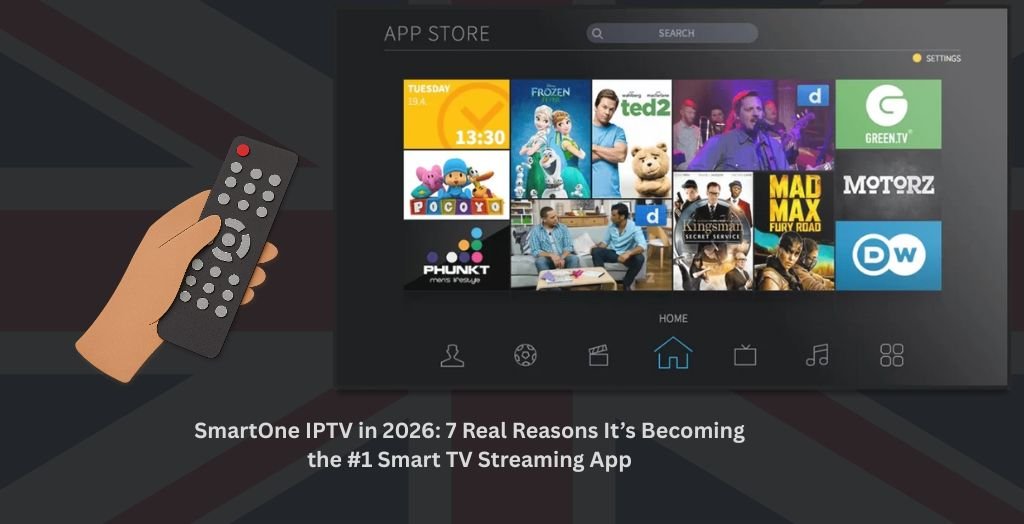
SmartOne IPTV Setup Guide: How to Install, Upload Playlist & Activate It with 4kIPTV UK (2026)
Main Takeaways
SmartOne IPTV is an app for Smart TVs that lets you stream IPTV using your own playlist. It doesn’t come with channels. You connect your own IPTV service
Fully compatible with Samsung, LG, Android TV, Hisense, Panasonic, TCL, Sharp, and other major brands
Supports both m3u playlists (recommended) and Xtream Codes API, so setup is flexible
You get a 15-day free trial with no payment required unless it works for you
Activation costs €12.99 one-time or €2.50/year per device
Works seamlessly with 4kIPTV UK, a reliable IPTV provider offering HD channels, VOD, catch-up, and a free trial
IPTV service and the SmartOne app are separate. Both must be paid for
Upload your playlist here → SmartOne Playlist Generator
Activate the app here → SmartOne Activation Page
What Is SmartOne IPTV?
SmartOne IPTV is a feature-rich IPTV player app designed for nearly all modern Smart TVs. It supports streaming of Live TV, VOD, and Series using your own IPTV subscription. You can either upload an m3u playlist or log in via Xtream Codes API, but m3u is the recommended method for ease and speed.
It does not offer any channels or content itself. It’s just the video player.
If you’re new to IPTV, learn more here on Wikipedia.
Why SmartOne IPTV Is Popular in the UK
Here’s why UK streamers love SmartOne IPTV:
- 📺 Works on nearly every major Smart TV platform
- ⚡ Super fast channel switching
- 🎨 Lets you save favorites, hide categories, and fully customize the theme
- 🏆 Offers real-time match scores for sports lovers
- 🎧 Includes thousands of free radio stations
- 🌍 Multi-language support: English, Arabic, French, Spanish, Russian, and more
- 🔒 Parental lock, TV archive, and multi-account features
It pairs beautifully with a top-tier IPTV provider like 4kIPTV UK, delivering smooth, high-definition viewing with zero buffering.
Supported Devices and Operating Systems
| OS / Platform | Supported Brands |
|---|---|
| Samsung (Tizen, Orsay) | ✅ Samsung TVs |
| LG (Netcast, WebOS) | ✅ LG TVs |
| VIDAA OS | ✅ Hisense, Toshiba, Brandt |
| Foxxum | ✅ Panasonic, TCL, Sharp, Tornado |
| VESTEL | ✅ Hitachi, Toshiba, Telefunken |
| Android TV | ✅ Sony, Philips, Xiaomi |
| Fire TV (limited) | ✅ Partially supported |
| Vewd / Opera | ✅ Some older TVs |
How to Set Up SmartOne IPTV Step-by-Step
Follow these steps to set up SmartOne IPTV on your Smart TV:
Step 1: Install the App
- Open the App Store on your Smart TV
- Search for SmartOne IPTV
- Download and install it
- Open the app and note down your Device ID
Step 2: Use the Free Trial
- You’ll get a 15-day free trial automatically
- ✅ No need to pay until the trial ends
- Use this time to test it with your IPTV provider
- ⚠️ If something doesn’t work, do not pay — no refunds are offered
Step 3: Upload Your IPTV UK Playlist
To upload your playlist into SmartOne IPTV, follow these steps:
Click on the Upload Playlist button at the top of this page
Click the red “M3U Playlist” button to open the correct upload form
Enter your TV MAC address (you’ll find it inside the app)
Add a Playlist Name — this can be anything like your first name or a nickname
Paste the m3u playlist link provided by your IPTV provider into the Playlist M3U section
❓ Don’t have one? Click the WhatsApp icon on the right side of 4kiptvuk and we’ll send you a working link instantly
Complete the “verify you are human” Cloudflare check
Click the Add Playlist button
Restart the SmartOne IPTV app on your TV
✅ That’s it. You’re now ready to stream and enjoy IPTV on your Smart TV using SmartOne IPTV.
Step 4: Activate the App (After Trial Ends)
Once your 15-day trial ends and everything works great, here’s how to activate SmartOne IPTV permanently:
- Go to the activation page:
👉 https://smartone-iptv.com/plugin/smart_one/main_activate - Enter your TV MAC address in the “TV MAC” section
- Select your License Type:
- €12.99 for lifetime access
- Or €2.50/year per TV
- Check the box that says:
“I have tested the application, and I certify it is working for me.” - Proceed to make the payment
✅ After payment is complete, restart the app on your TV — and you’re fully activated!
Why Do I Need to Pay for Both IPTV and the App?
This is a common and valid question.
👉 SmartOne IPTV is only the player app. It gives you access to IPTV services on your TV
👉 Your IPTV provider supplies the actual content: channels, sports, movies, VOD, etc.
They are separate things — you need both:
- The SmartOne app to play the streams
- A paid IPTV subscription like 4kIPTV UK to supply the content
There are no truly free IPTV apps for Smart TVs that offer full features, proper UI, and active support. Free apps often come with limitations or no updates.
Best IPTV Provider for SmartOne IPTV: 4kIPTV UK
If you’re serious about IPTV in the UK, 4kIPTV UK is the best choice in 2025.
Why 4kIPTV UK Is #1
- 📡 24,000+ live channels
- 🎬 150,000+ VOD and Series
- 🕒 4-day catch-up for missed shows
- 🔐 Built-in VPN for safe and private streaming
- 🚀 Zero-buffering and high-speed servers
- 🔧 Instant setup and 24/7 expert support
- ✅ 100% compatible with SmartOne IPTV
- 🎁 Free 24-hour trial available
👉 Visit: 4kIPTV UK
4kIPTV UK Pricing Plans
Single Connection Plans
1 device at a time
| Plan Duration | Price |
|---|---|
| 1 Month | £11.99 |
| 3 Months | £25.99 |
| 6 Months | £34.99 |
| 1 Year | £59.99 |
2 Connections Plans
2 devices at the same time with separate logins
| Plan Duration | Price |
|---|---|
| 1 Month | £17.99 |
| 3 Months | £37.99 |
| 6 Months | £57.99 |
| 1 Year | £89.99 |
🔹 Single Connection – Can be used on one device at a time. To switch devices, you must log out on the first device before logging in on another.
🔹 2 Connections – Lets you use two devices at the same time. You’ll get separate login details for each device so you don’t need to log out or switch accounts.
FAQs about SmartOne IPTV
Is Smart IPTV legal?
Yes. SmartOne IPTV is a legal media player. The legality of your content depends on your IPTV source
How much is the one-time fee for Smart IPTV?
It costs €12.99 for lifetime access or €2.50/year per device
Is Smart IPTV app free?
The app includes a 15-day free trial, but must be paid for afterward
Is there a totally free IPTV app?
No. Free apps for Smart TVs are extremely limited, often outdated or unsupported
Can I watch IPTV on Samsung Smart TV?
Yes. SmartOne IPTV works perfectly on Samsung Tizen and Orsay TVs
Conclusion
SmartOne IPTV is the ultimate Smart TV IPTV app in 2025. With wide device compatibility, fast setup, customizable features, and a smooth user interface, it delivers premium performance when paired with a trusted IPTV service.
Once your 15-day trial ends, a one-time activation keeps it running for life. Just remember — both the app and the IPTV provider (like 4kIPTV UK) are paid services.
For the best experience, no buffering, and access to premium channels and VOD, pairing SmartOne IPTV with 4kIPTV UK is the smartest move you can make.
Conclusion
To conclude, SmartOne IPTV in 2026: 7 Real Reasons It’s Becoming the #1 Smart TV Streaming App provides valuable insights into improving your IPTV experience on any device.
By following the steps in this guide, you can enjoy smooth and high-quality streaming with ease.
Always rely on a trusted IPTV provider, keep your app updated, and maintain a stable internet connection for the best performance.
For reliable IPTV services in the UK, visit
4kiptvuk.homes —
your go-to destination for premium IPTV UK subscriptions.
Contact Us
Have questions or need assistance? We're here to help!
Get in Touch
Email Us
contact@4kiptvuk.homes
Available 24/7
Call Us
+447404860675
Available 24/7
Live Chat
Available on our website
Response time: Under 5 minutes
Our Hours
Customer Support: 24/7
Sales Department: Mon-Fri, 9am-6pm GMT
Technical Support: 24/7
